
What you’ll learn
Billing in Profile shows the subscription for the selected workspace. Use it to subscribe or open Stripe’s billing controls for an existing subscription.
- Select workspace
- Profile → Billing
- Choose plan
- Manage billing
Before you begin
Confirm the correct personal or team workspace before opening Billing. The available controls depend on your role and subscription status.
STEP 1 OF 4
Select the workspace and open Profile
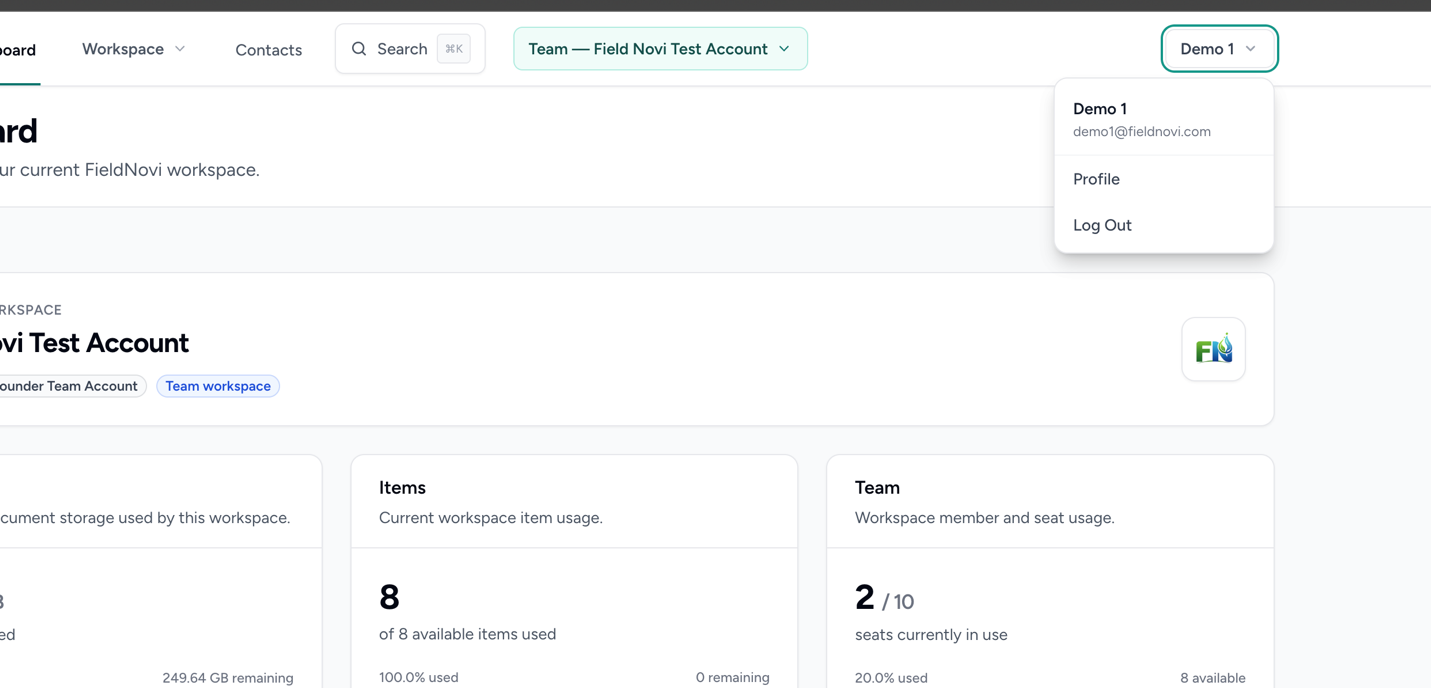
Use the workspace switcher to choose the personal or team workspace whose subscription you want to manage.
Select your name in the upper-right corner, choose Profile, and find the Billing section.
STEP 2 OF 4
Review the workspace and available plans
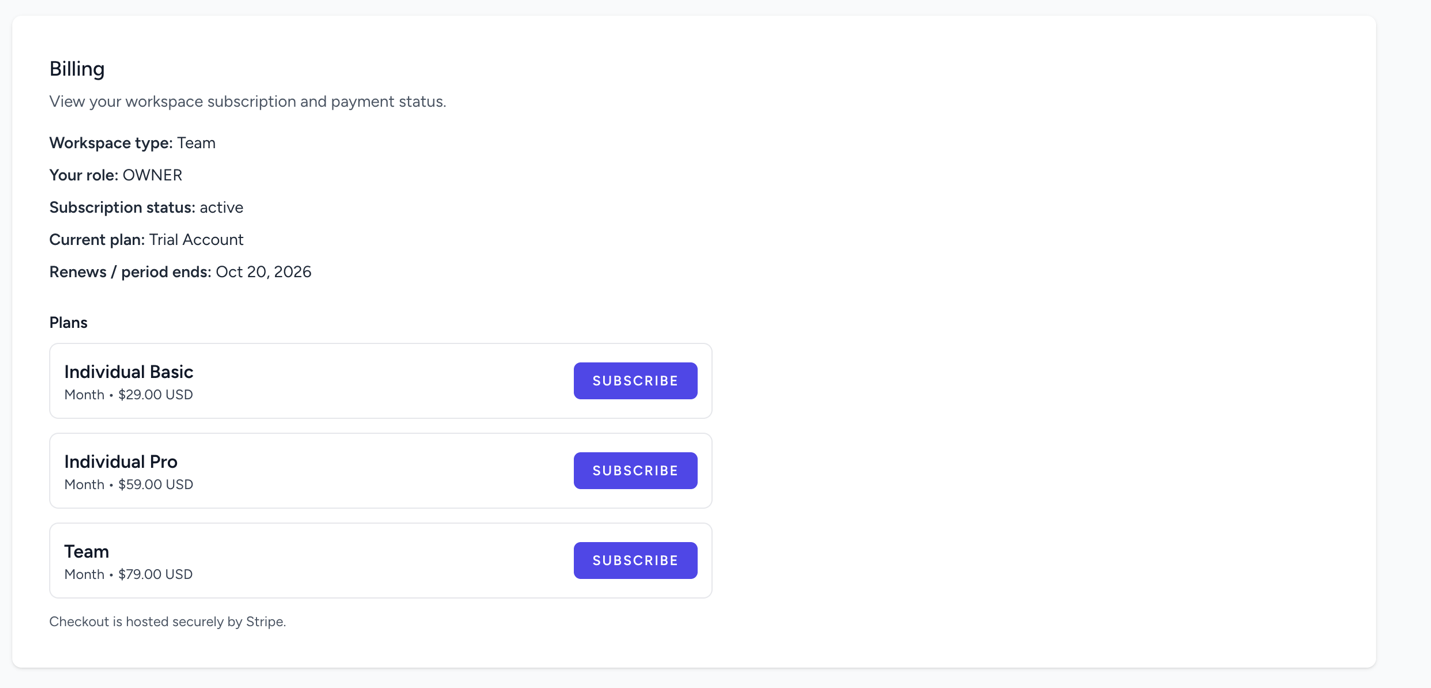
Check the Workspace type, Your role, Subscription status, Current plan, and any renewal or period-end information displayed.
Review the available plans and select Subscribe for the plan you want. Use the current prices and terms shown in your account and at checkout; the screenshot is an example.
STEP 3 OF 4
Review and complete Stripe checkout
FieldNovi redirects you to Stripe for checkout. Review the selected plan, payment amount, billing schedule, and payment information shown there before confirming your purchase.
Return to FieldNovi and check the Billing section to confirm the subscription status.
STEP 4 OF 4
Open Manage Billing or Change Plan
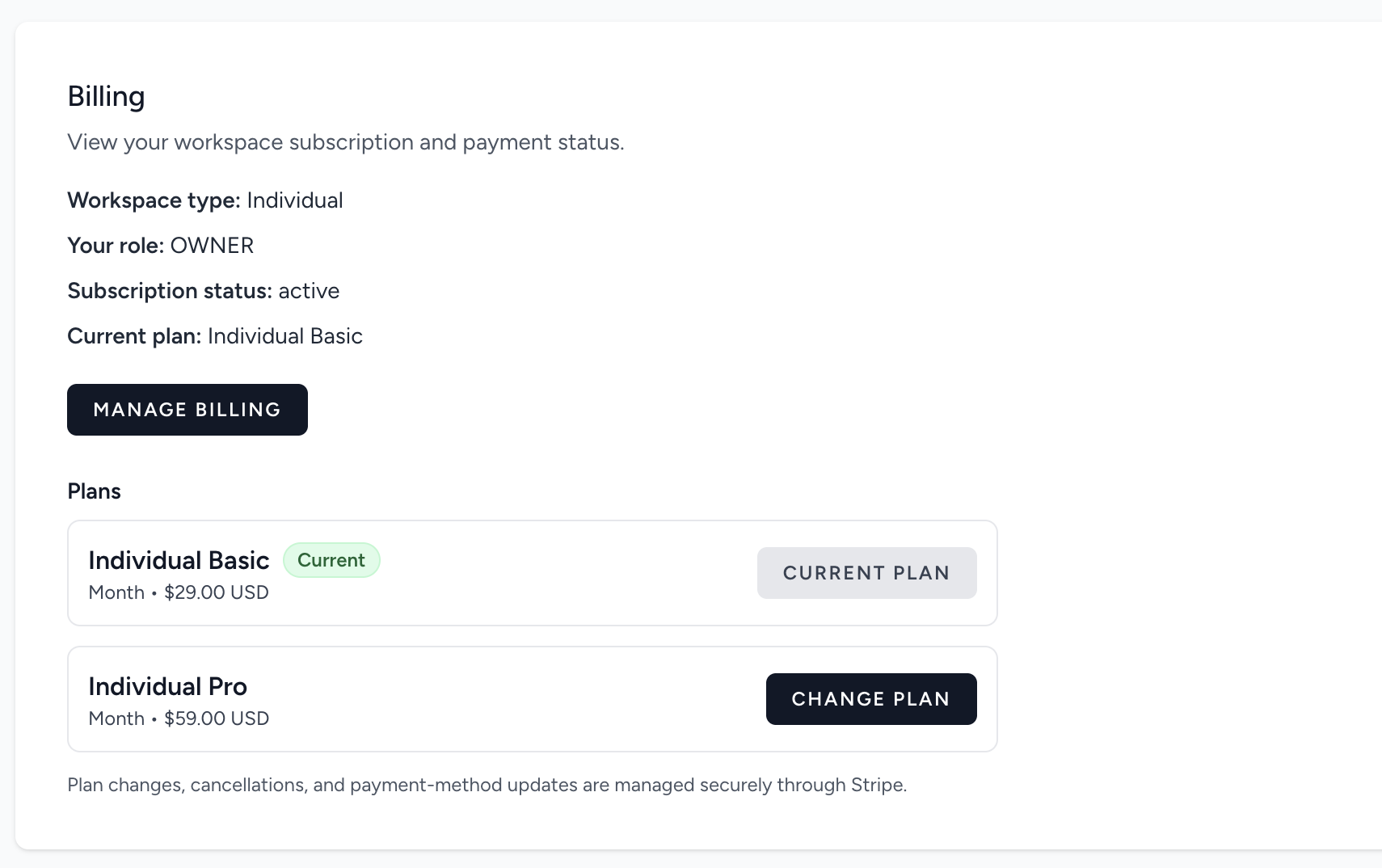
After subscribing, use Manage Billing to open Stripe’s billing portal. Review billing dates, update payment methods or billing information, and download invoices using the available controls.
Use Change Plan when available to review a different plan. Plan changes and cancellations are handled through Stripe. Review the amounts and effective dates shown before confirming a change.
GOOD HABITS
Best practices
- Check the workspace name before choosing or changing a plan.
- Review checkout amounts and effective dates before confirming.
- Keep billing contact and payment information current.
QUICK ANSWERS
Common questions
Why do I see the wrong subscription?
Billing reflects the selected workspace. Use the workspace switcher to choose the intended personal or team workspace, then reopen Profile → Billing.
Where can I update my card or download an invoice?
Open Manage Billing from the Billing section and use the available controls in Stripe.
Where can I change or cancel a plan?
Use Manage Billing or the available Change Plan control. Stripe handles subscription changes and cancellations; review the displayed terms and effective dates before confirming.
What if I do not see a billing control?
Check your role and subscription status in the Billing section. Ask the workspace owner or email support@fieldnovi.com if you need help.
FIELDNOVI SUPPORT
Still need help?
Email support@fieldnovi.com for questions or anything that is not working as expected.
Include these details
- Your name and organization.
- The workspace and any relevant record names.
- What you were trying to do and what happened instead.
- Any error message and a screenshot, when possible.
- The approximate date and time the issue occurred.
Do not include passwords or payment card details.